
Layout tools to help you elevate your reports!
Two new ways to have "flexible layouts" that adapt to the content.
If you’re familiar with ReportLab and the RML language, you’ve probably come across frames as a concept. Frames are used to declare regions to contain flowing content; like paragraphs, images, and tables. Their dimensions are often fixed, and content flows downwards within them.
Placed Story
If you need to display a section of various types of content within a page you’d normally use frames to contain them; however, under certain conditions, you may wish to use the placedStory tag, (not to be confused with the storyPlace tag!)
Let’s say you need a footer for a report. It needs to be at the bottom of the page; it needs to flow upwards; and if there is too much content, then instead of continuing to grow upwards, you need the content to shrink (i.e. reduce the font size). The <placedStory> tag allows for this by defining the anchor, a max height, and overflow behaviour.
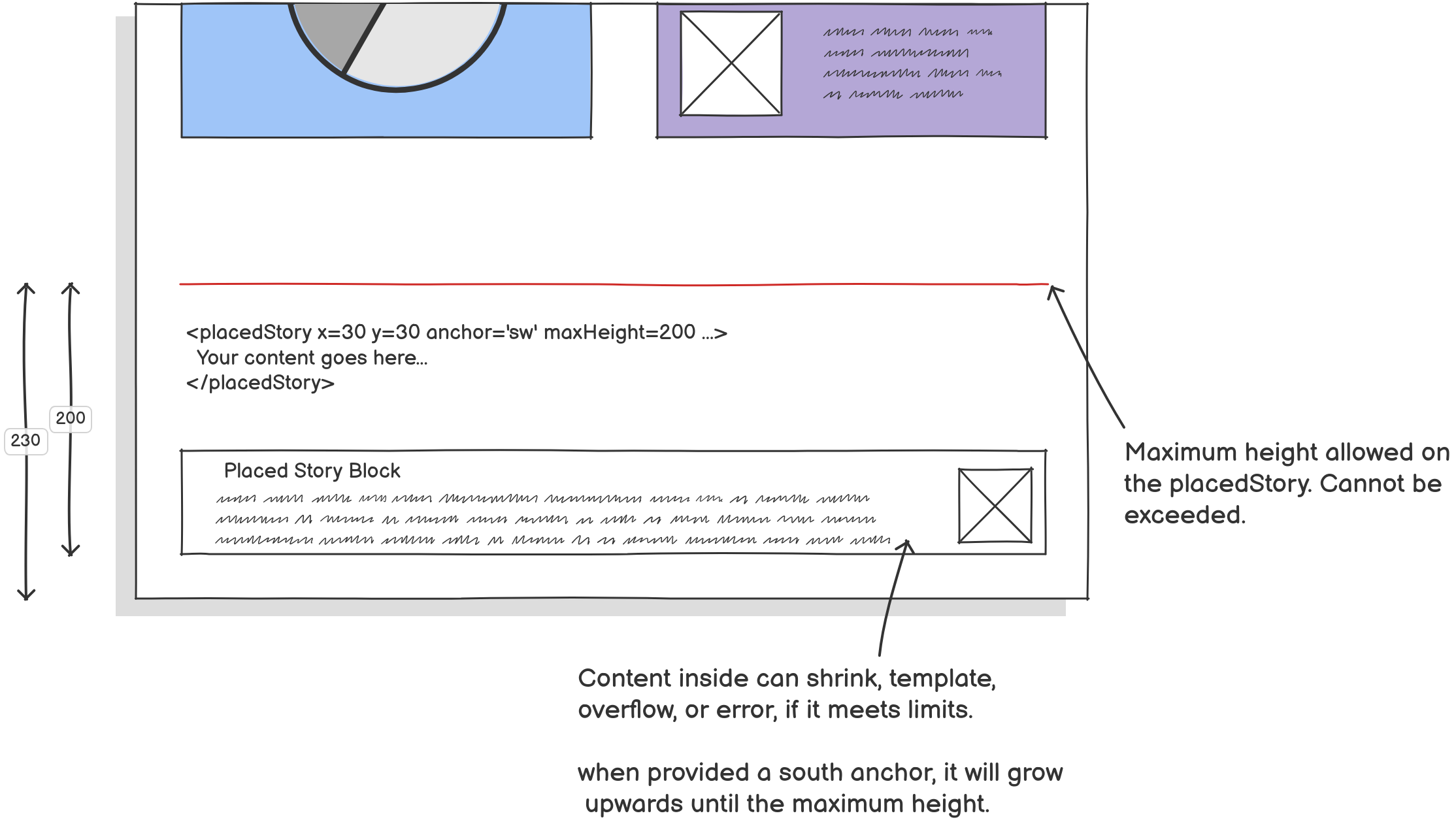
Even though it’s not a frame, within one of these tags, you can contain flowable elements (e.g. tables, images, headings, text and more). We can already do this with frames; but unlike frames, which have a totally fixed position on all pages, placedStory has some tools for flexibility if we need it. For example the anchor flag will also give you more control of where the content starts, and how it flows.
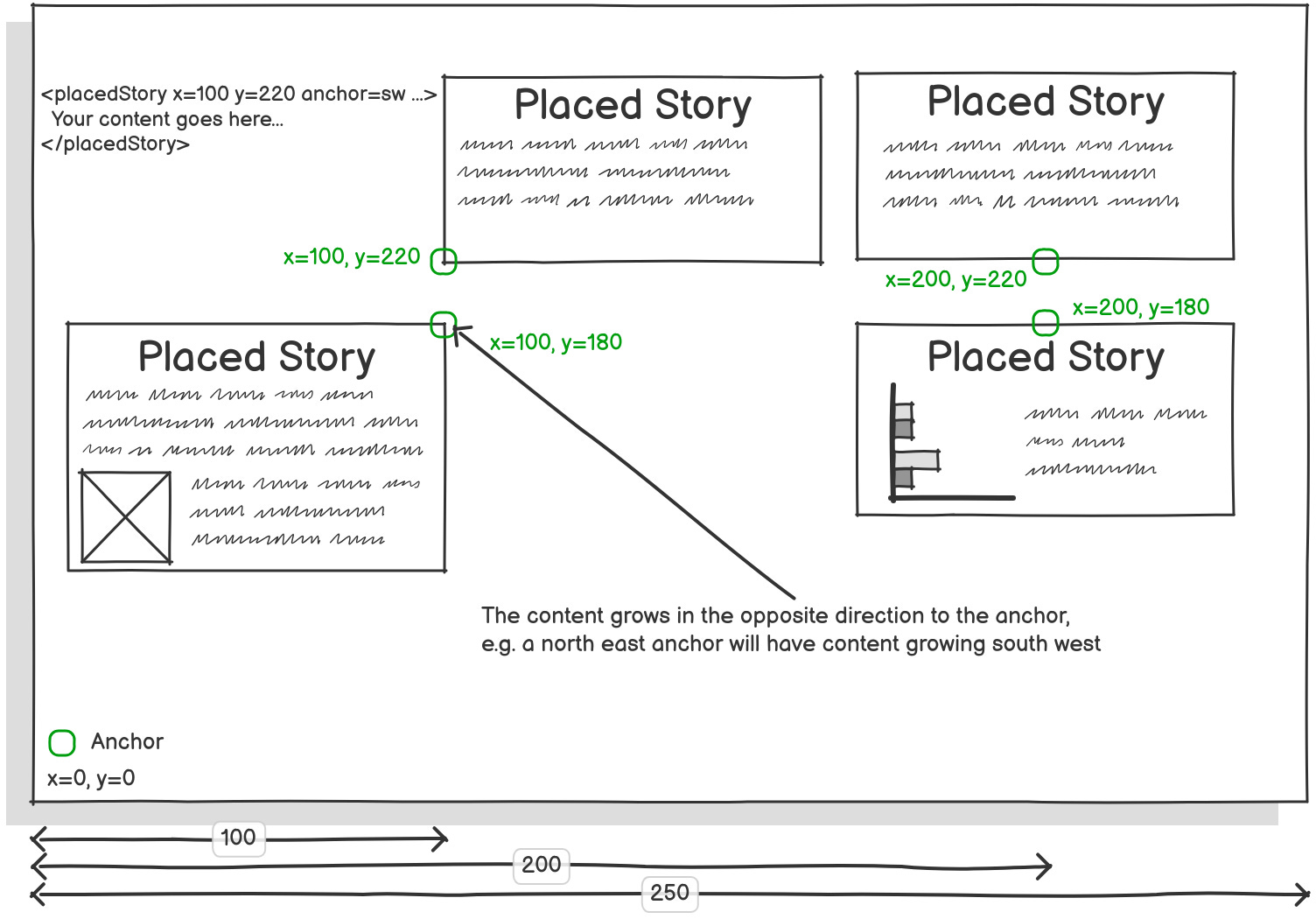
The required fields for this tag are maxHeight and maxWidth.
The origin defaults to “page”. The x,y coordinates default to position 0,0 of the origin. The anchor defaults to “se” for south east (i.e. the bottom left). The overflow behaviour defaults to “shrink”.
Dynamic Frames
As mentioned prior, frames are notably fixed elements; however under some circumstances you may want them to adjust their sizes. This can be done using preppy if you wish to involve python code alongside rml; but if you wanted to use pure RML, then one such way you can do this is using doc programming to make frames dynamic.
There is no specific dynamic frames tag; however an example of how the code might look is available on our samples page, look for test_039_dynamic frames.
Below is an diagram of dynamic frames in use. The frames all have the same height initially, however as the first frame grows, the latter frames that haven’t had content added yet reduce in height before their content are added. This lets us have spanning content at the top, pushing down the space available for a dual column format.
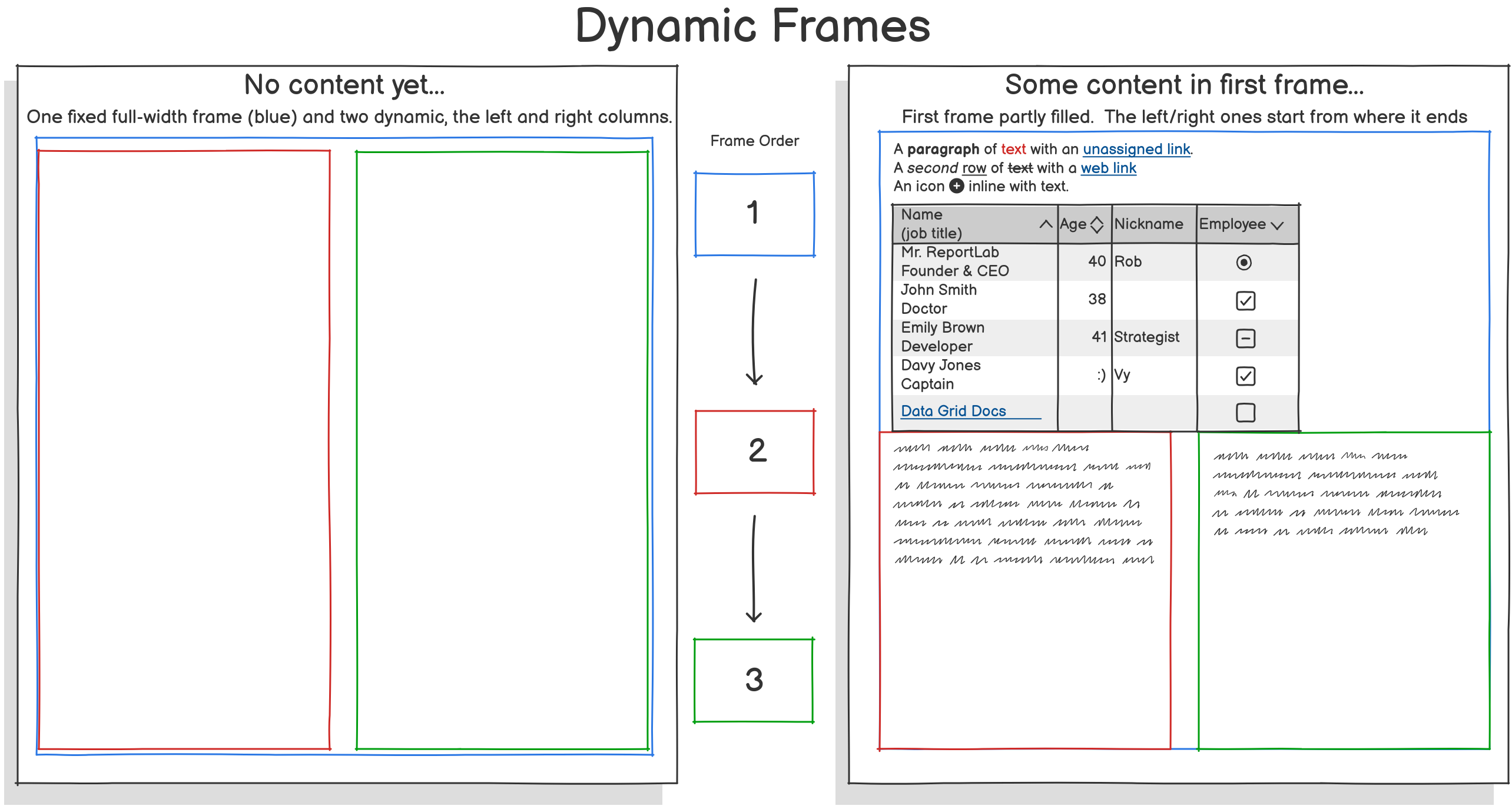
The benefit of this over some other techniques is that we can enforced the stricter rules on how the content within flows. Frames may have this control in-built (e.g. nextFrame) but some other ways may not.
If you’d like to see more of this in action, please take a look at our samples webpage at the placed story and dynamic frames examples.